Overview
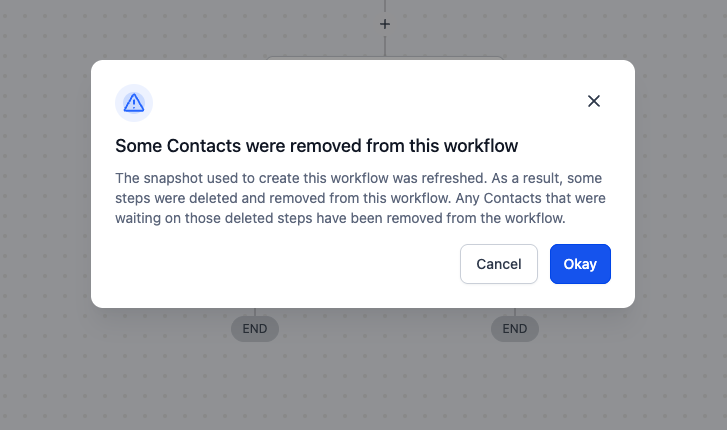
When you refresh a snapshot, it can delete steps in related workflows. Before, contacts waiting on those deleted steps could get stuck and needed manual cleanup. Now we auto-remove those contacts and show a brief heads-up only when a workflow is affected - so nothing stalls and you know exactly what changed.
What’s new
- If a snapshot refresh deletes a step (eg. wait step), any contacts waiting on that step are now removed automatically so they don’t get stuck.
- You’ll see a one-time heads-up the next time you open an affected workflow (shown only when it applies).
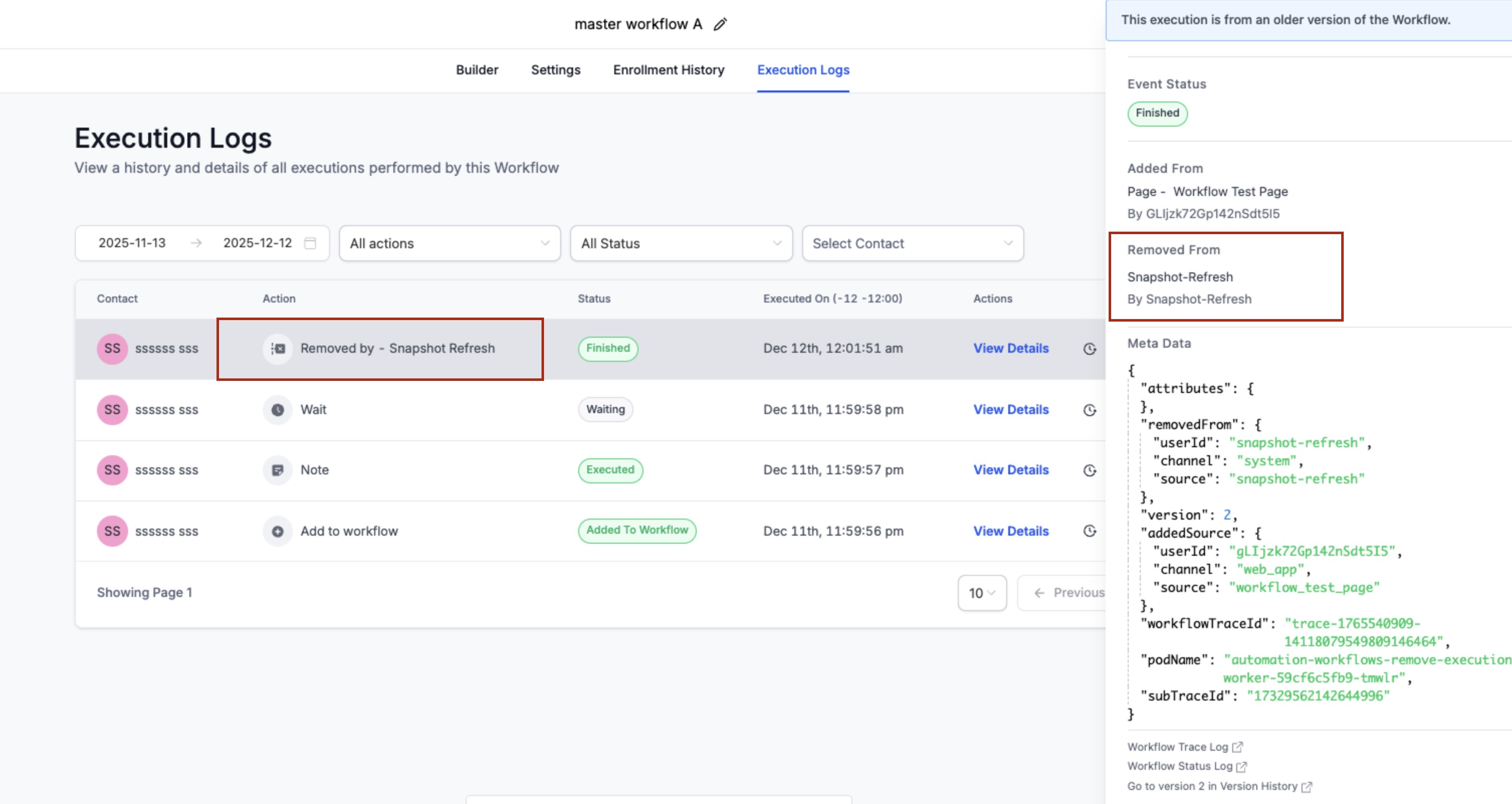
- In the Execution Logs, you’ll also see “Removed by - Snapshot Refresh” with details in the side panel.
How it works
- Refresh a snapshot.
- If steps were removed, the system cleans up waiting contacts and shows a brief notice on first open.
- No action needed.
Why it matters
- Prevents stuck contacts, keeps automations accurate, and saves time on manual cleanup.
Notes
- Applies to workflows created from snapshots when a refresh deletes steps.
- Directly deleting a step in a workflow already removes waiting contacts (unchanged).
Preview
Was this article helpful?
That’s Great!
Thank you for your feedback
Sorry! We couldn't be helpful
Thank you for your feedback
Feedback sent
We appreciate your effort and will try to fix the article